🚀 VMSPadel Quick Start
Section titled “🚀 VMSPadel Quick Start”What’s the score?
Who’s serving?
If you’ve ever asked these questions mid-game, VMSPadel is here to help.
No more disputes — just clear, easy-to-follow score tracking right from your wrist.
Stay focused on the game while VMSPadel handles:
- 🎾 Score updates
- 🧍♂️ Server tracking
- 🟩 Court-side scoreboard display
- 🕒 Match history and stats
📱 App Overview
Section titled “📱 App Overview”- The Apple Watch app is your on-court companion — keeping track of the score as you play.
- Use the iPhone app to show a court-side scoreboard, explore your match history, and see how your game is improving.
The first time you open the app, everything is set up for you automatically — no accounts or passwords needed. Just play your game, track every point in real-time, and dive into match stats whenever you like.
On iPhone, use Settings → Appearance for System, Light, or Dark, and Settings → Language for English, Spanish, Italian, German, or French. The language choice also syncs to Watch and controls scoreboard announcements. See preferences.
📥 Installation
Section titled “📥 Installation”📱 iPhone
Section titled “📱 iPhone”Install the app from the App Store

⌚️ Apple Watch
Section titled “⌚️ Apple Watch”Make sure the app is also installed on your Apple Watch.
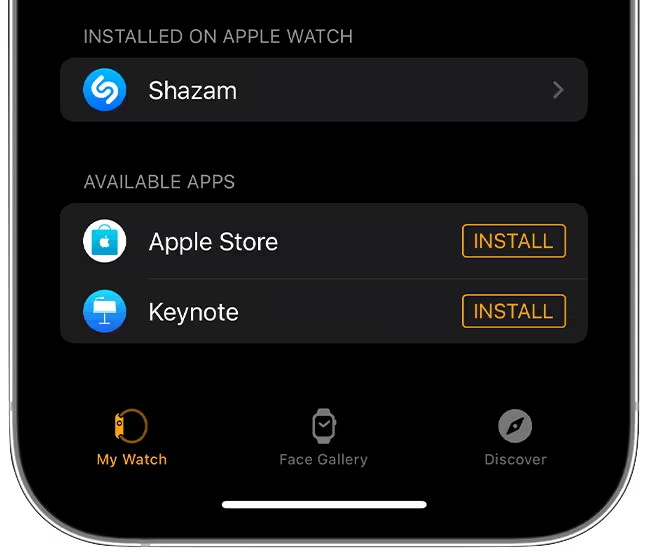
- Open Watch app on iPhone.
- Go to My Watch → Available Apps.
- Find VMSPadel and tap Install.
🕹 Using VMSPadel
Section titled “🕹 Using VMSPadel”⌚️ Main Screen
Section titled “⌚️ Main Screen”Launch VMSPadel on your Apple Watch and adjust next match settings.
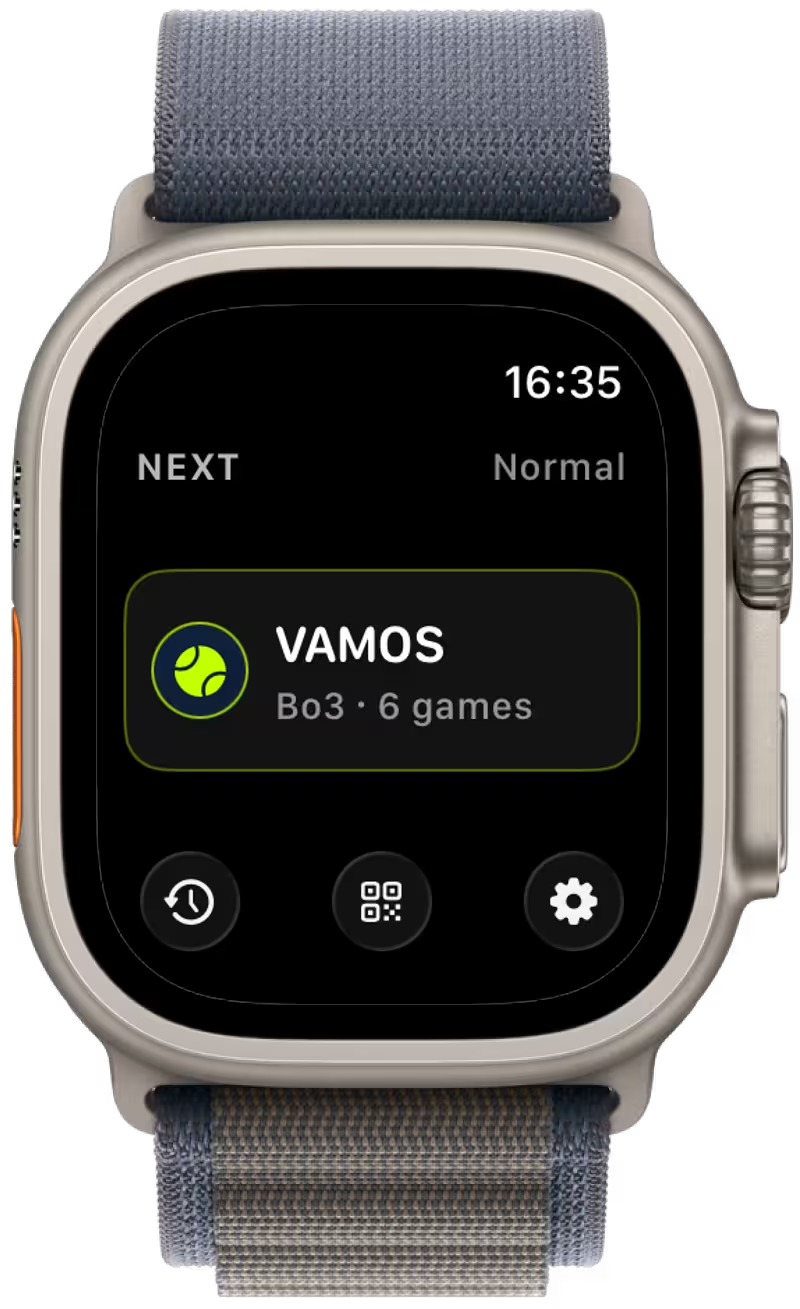
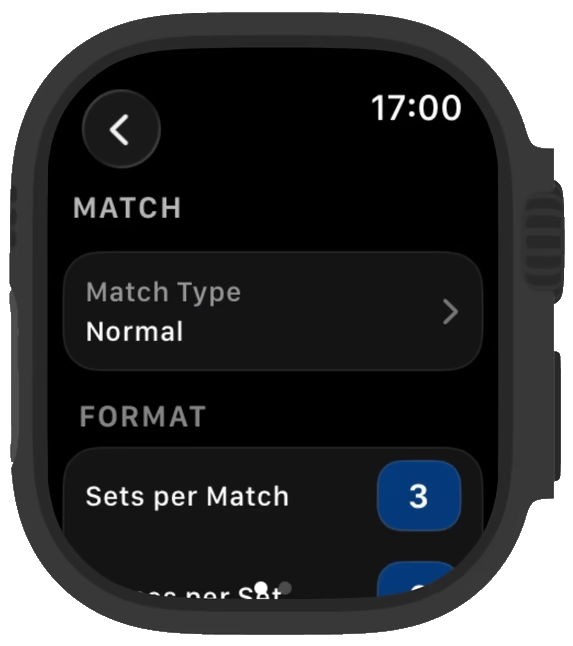
Settings — configure match mode and preferences
⚙️ Settings
Section titled “⚙️ Settings”First select your preferred match mode:
- Normal Match — traditional scoring (15/30/40) with flexible rules
- Quick Match — fast-paced games, tie-break scoring
- Training — record your time on court without scoring
Done with settings and ready to play?
Go back to the Main Screen and start a match!
- VAMOS
Training opens a timer directly, without choosing a side or server. See Training for details. The scoring steps below apply to Normal and Quick matches.
🧍 Choose Side & Server
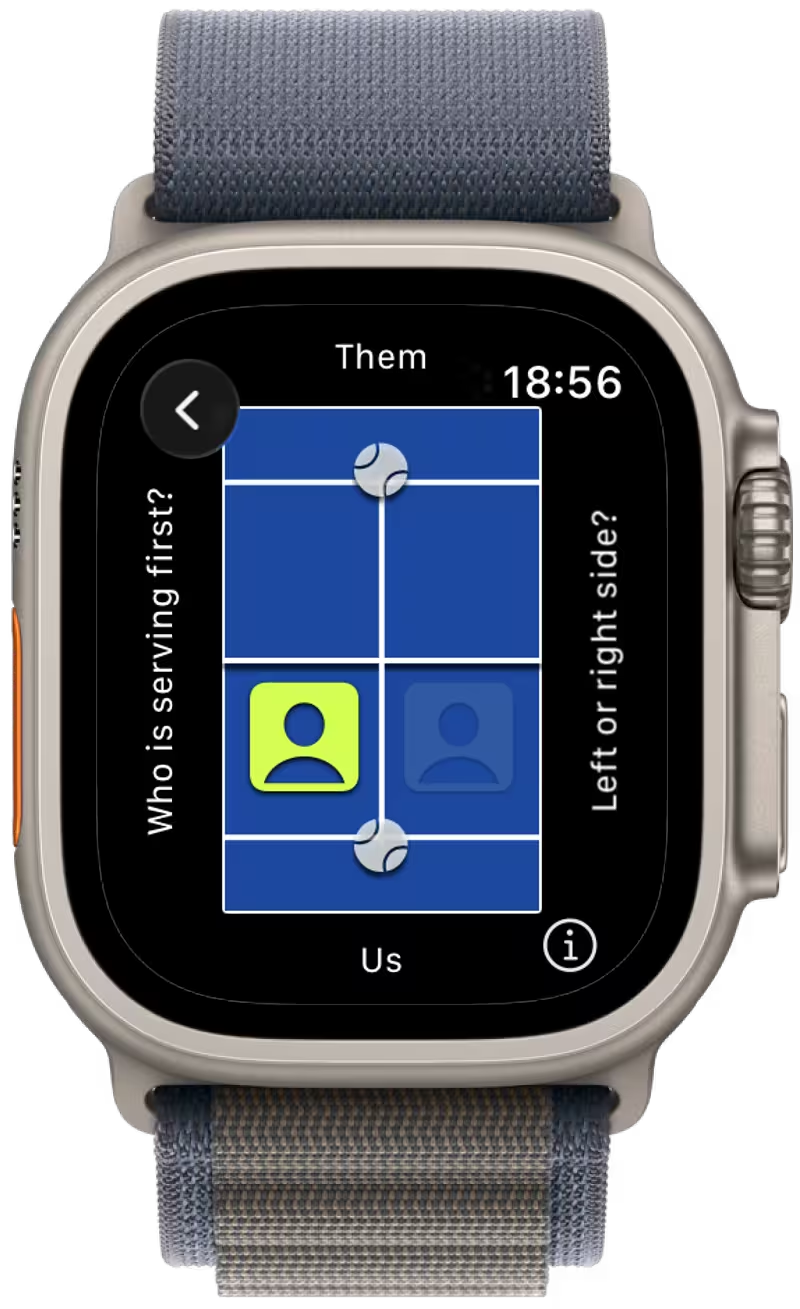
Section titled “🧍 Choose Side & Server”At the start of each Normal or Quick match, you need to select:
- Which team is serving first
- Your position on the court
🎾 Match View
Section titled “🎾 Match View”Update the score as you play and track vital match details.
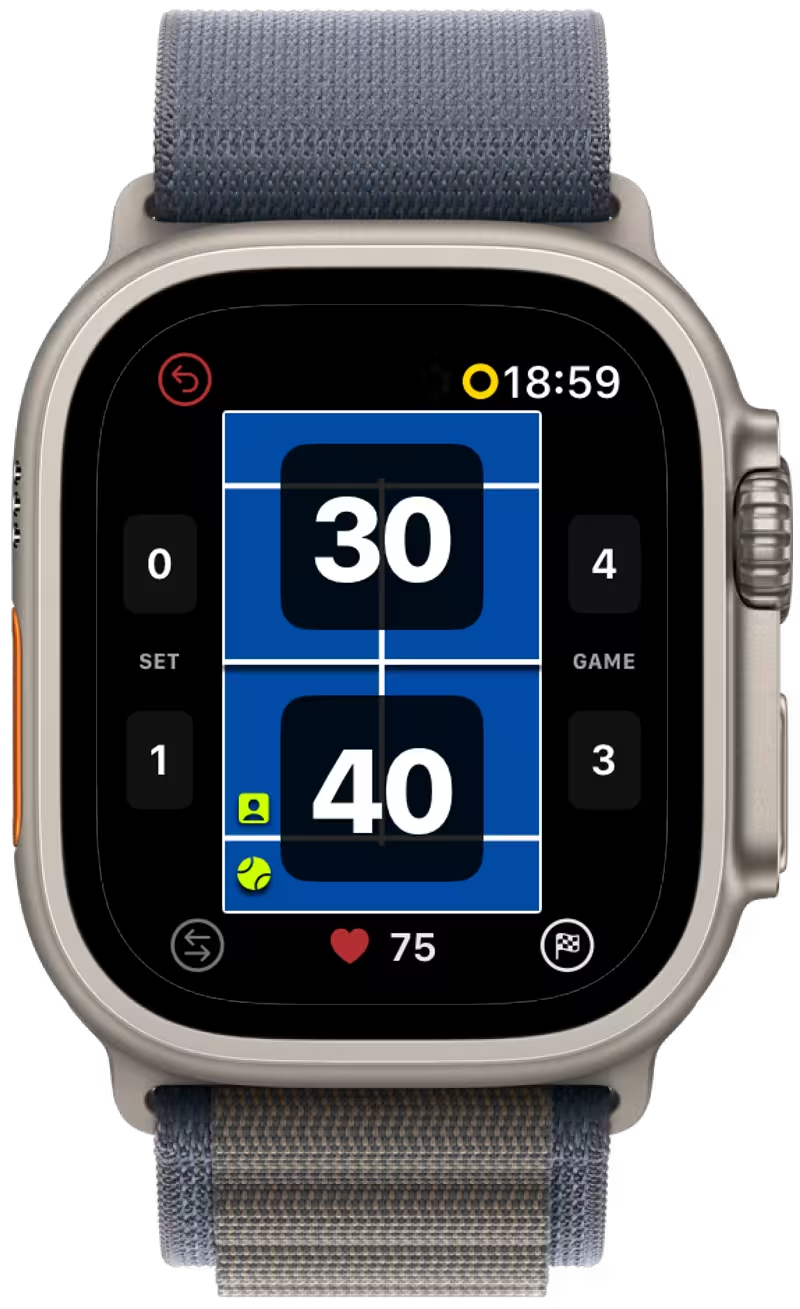
- Undo — revert last action
- Change Serve — swap serving player
- Activity — review activity stats
- Finish — end the match
- Serving Player — who is serving
- Serving Position — where to serve from
🟩 iPhone Scoreboard
Section titled “🟩 iPhone Scoreboard”Want everyone on court to see the score? Open the iPhone Scoreboard for a large horizontal display.
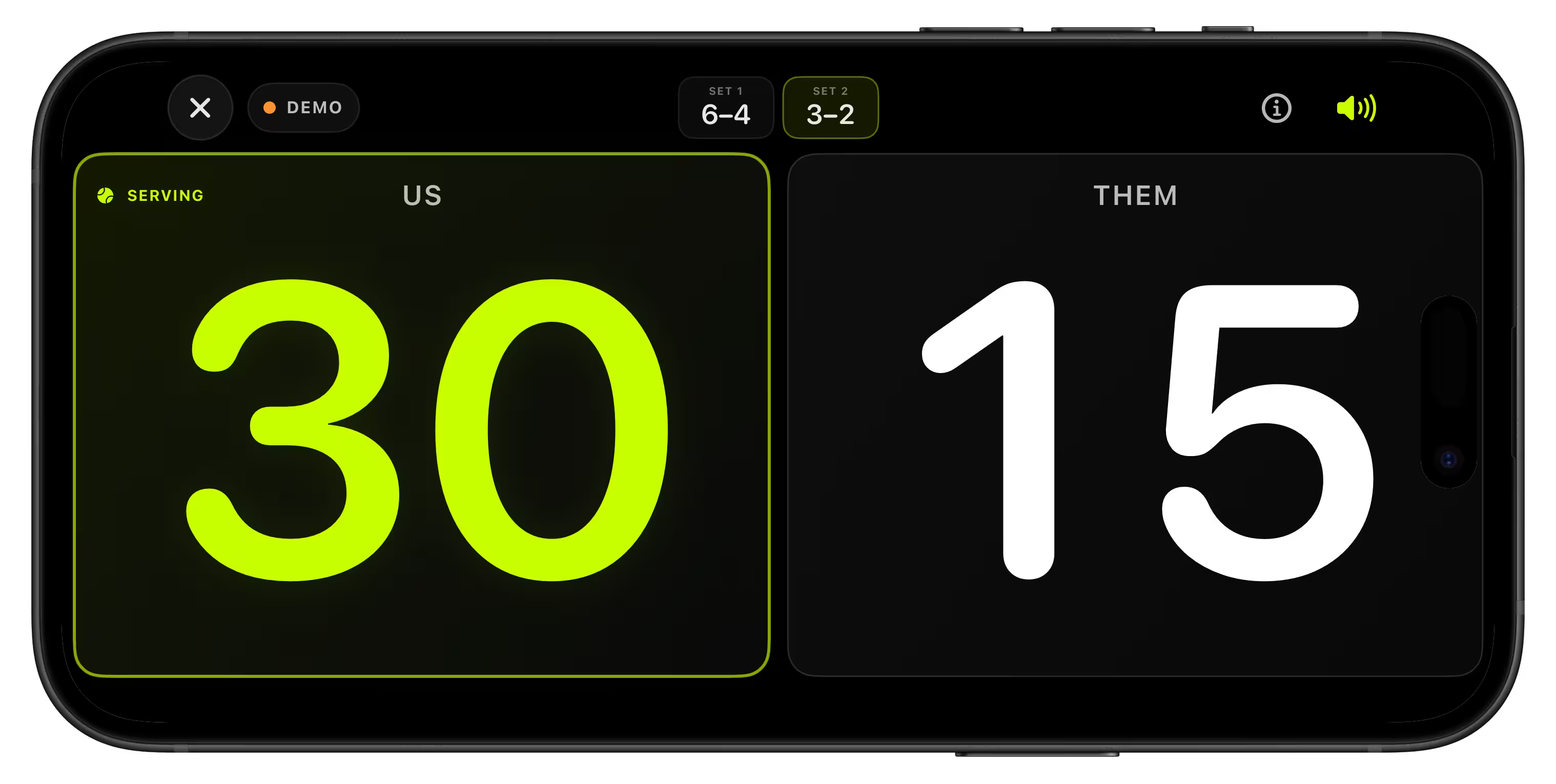
- Start and control the match from your Apple Watch.
- Keep the iPhone nearby as a live score display.
- Use the speaker button for optional score announcements.
🏁 Match Result
Section titled “🏁 Match Result”When the match is over you can save it to analyze later in the iPhone App.
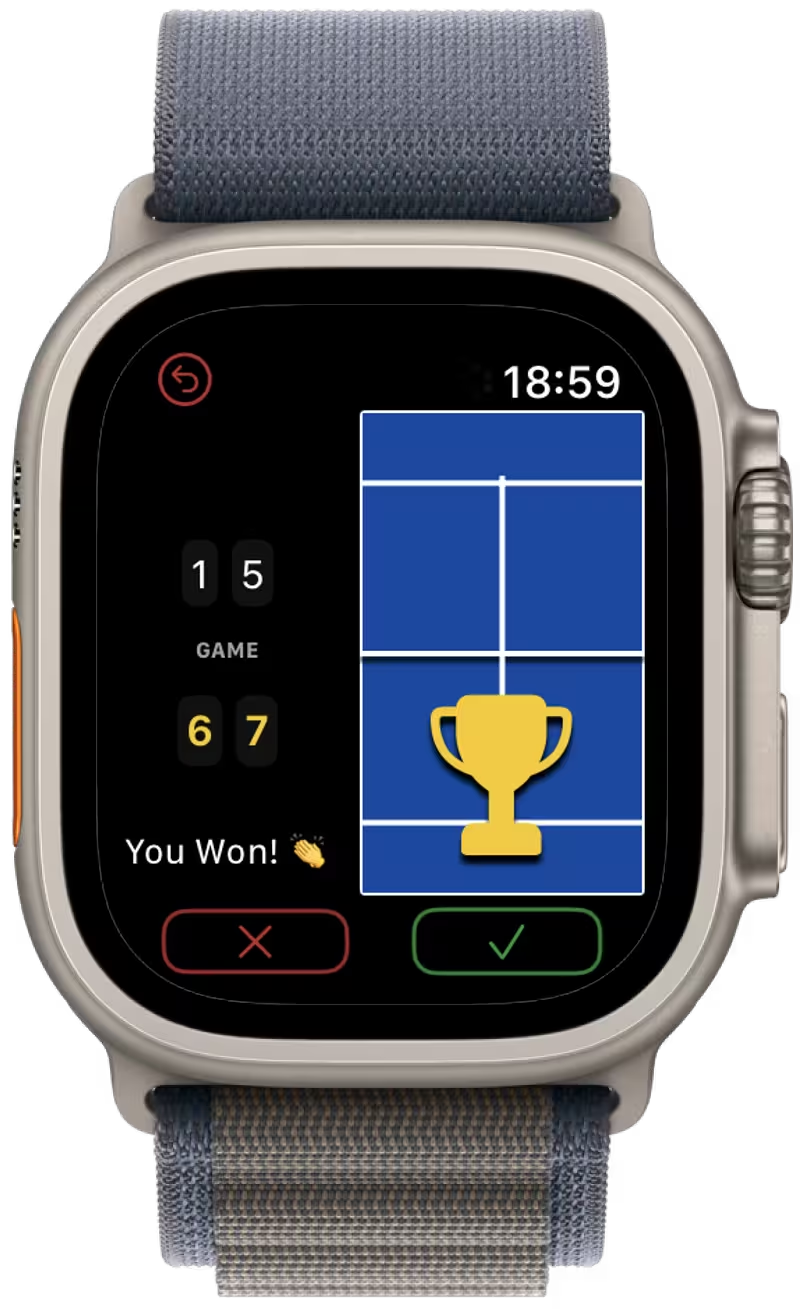
- Delete — do not save this match
- Save — save this match to analyze later
- Undo — return to match view
🤔 Got questions?
Section titled “🤔 Got questions?”Check out the FAQ or dive deeper into the iPhone App Guide or Apple Watch App Guide.
Have a smooth, dispute-free padel with VMSPadel!
📬 Need Help?
Section titled “📬 Need Help?”If something is still unclear or you need assistance, please reach out to us at [email protected].