Padel Scorekeeper App for Apple Watch and iPhone
Section titled “Padel Scorekeeper App for Apple Watch and iPhone”VMSPadel is a padel scorekeeper for players who want the score to stay clear without stopping the match. Update points from Apple Watch, keep a live scoreboard visible on iPhone, and save match history and workout activity when the game is done.
If your matches get stuck on “was that 40–30 or deuce?”, “who serves now?”, or “are we playing golden point?”, a dedicated scorekeeper gives all four players one clear answer.
What a padel scorekeeper tracks
Section titled “What a padel scorekeeper tracks”A useful scorekeeper does more than count points. VMSPadel keeps the match context together:
- points, games, sets, and the final result;
- serving team, serving player, and service side;
- normal, quick, tie-break, super tie-break, golden, silver, and star point formats;
- Apple Watch activity including match time, heart rate, and calories;
- match history, notes, trends, and performance stats;
- an optional court-side iPhone scoreboard with English, Spanish, Italian, German or French voice announcements.
Why Apple Watch works well on court
Section titled “Why Apple Watch works well on court”The Watch is already on your wrist, so a point takes one tap to record. You do not need to unlock an iPhone, walk to the bench, or reconstruct several rallies from memory.
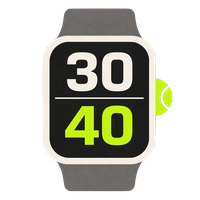
The match screen keeps the current score, server, serving side, undo control, and important-point indicator visible without turning the Watch into a complicated dashboard. Read the full Apple Watch padel scorekeeper guide for every screen and setting.
Show the score to the whole court
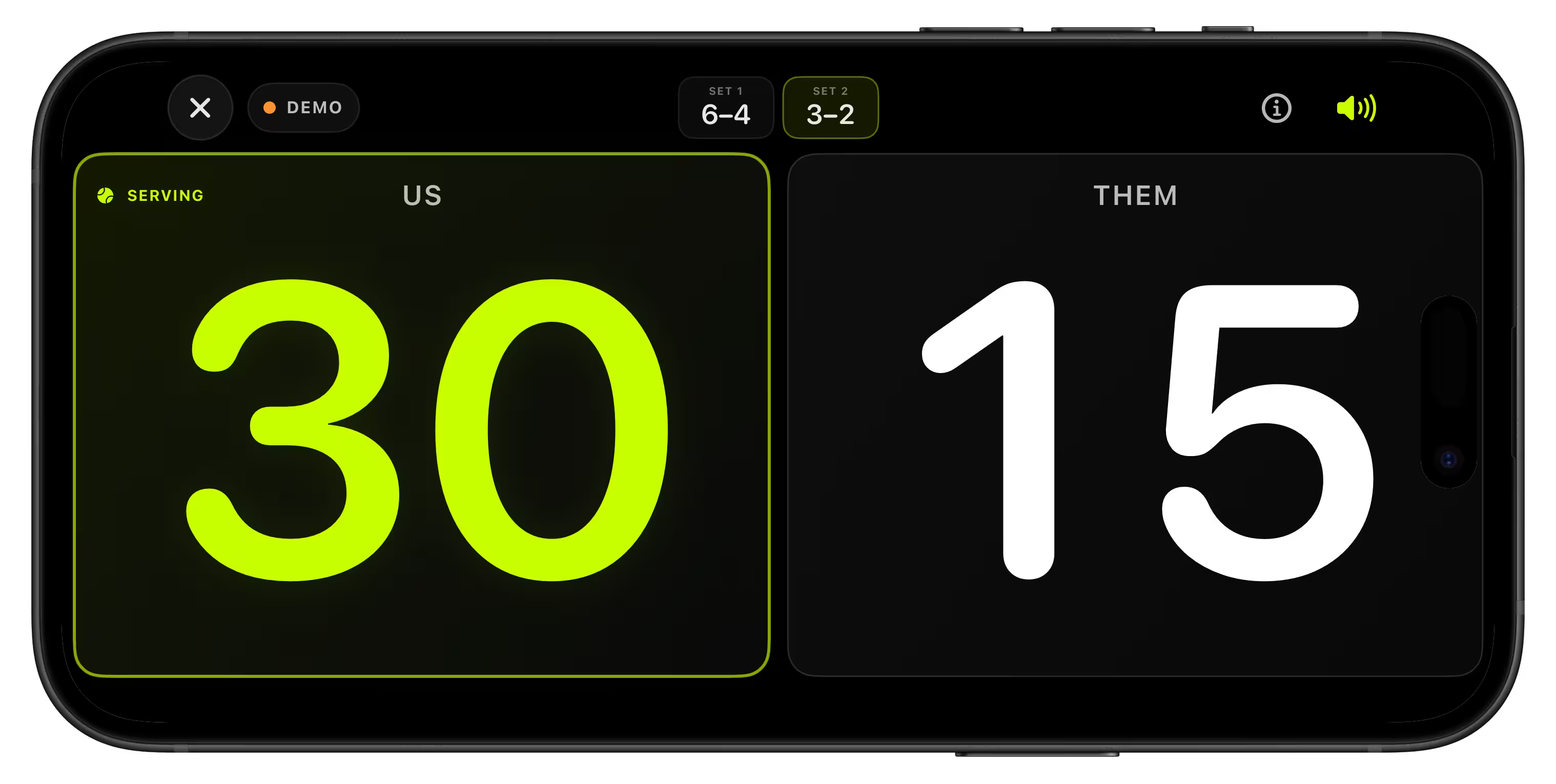
Section titled “Show the score to the whole court”Your Apple Watch remains the controller while the iPhone becomes a large live display. Place it near the bench, glass, or fence so players can confirm the score between rallies.
Optional voice announcements call the score in English, Spanish, Italian, German or French. This is especially useful during coaching sessions, club matches, Americanos, and games where players are spread across the court.
Keep the workout as well as the score
Section titled “Keep the workout as well as the score”When activity tracking is enabled, VMSPadel records match time, heart rate, and calories using Apple Watch sensors. The workout can be saved to Apple Health and Apple Fitness while the scored match stays in VMSPadel history.
This joins two records that are normally separate: what happened in the match and how much work you did on court.
For practice without scoring, choose Training. It records time on court with optional heart rate and calorie tracking, saves to history, and does not affect competitive match stats or open the live scoreboard.
Choose the scoring format before the first serve
Section titled “Choose the scoring format before the first serve”The current FIP rules describe advantage, Star Point, and Golden Point scoring options, plus tie-break and alternative set formats. Clubs and social groups can still choose their own agreed format, so set it before play begins.
Use these guides when your group needs a quick rules check:
When a scorekeeper is most useful
Section titled “When a scorekeeper is most useful”- competitive social, ladder, league, or club matches;
- coaching sessions where everyone needs a visible score;
- beginners learning serving order and scoring formats;
- timed court bookings where long games matter;
- players who want history, notes, workout activity, and stats after play.
Frequently asked questions
Section titled “Frequently asked questions”Do I need to create an account?
Section titled “Do I need to create an account?”No. VMSPadel does not require registration, a name, or an email address.
Can I score without an internet connection?
Section titled “Can I score without an internet connection?”Yes. You can keep scoring when court connectivity is poor and sync the match with iPhone afterwards.
Is the iPhone required during the match?
Section titled “Is the iPhone required during the match?”No. You can score on Apple Watch without using the iPhone on court. The iPhone scoreboard is an optional display.
Is there a free trial?
Section titled “Is there a free trial?”Yes. VMSPadel includes a 30-day trial so you can test it in real matches.
Rule source
Section titled “Rule source”Scoring references are based on the International Padel Federation’s current Rules of Padel. Competition and club formats can differ, so confirm the rules used for your match.